
 18 May 2026
 Share
Share
1
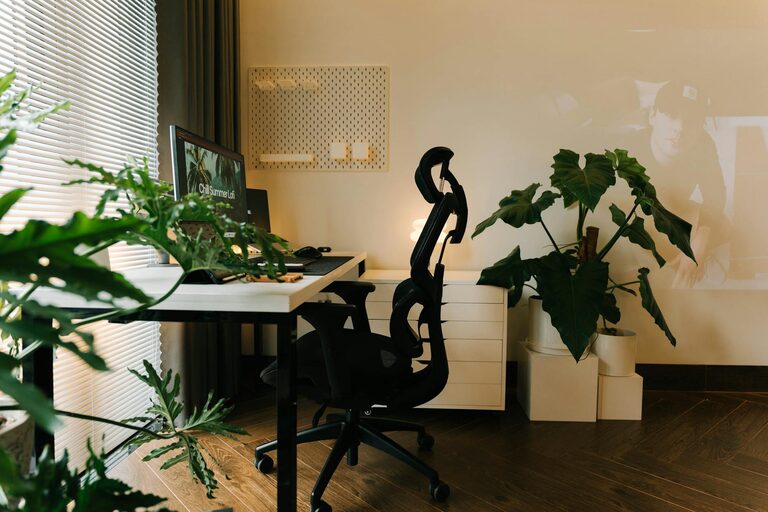
Creating a cozy and inviting home workspace is essential for anyone who spends a significant amount of time working from home. A thoughtfully designed workspace not only improves your focus and productivity but also enhances your overall well-being. Whether you have a dedicated room or just a small corner to work with, these tips will help you craft a workspace that feels welcoming and functional.
Comfort in your workspace can reduce stress and fatigue, making it easier to stay motivated throughout the day. When your work environment feels inviting, you’re more likely to enjoy your tasks and maintain a positive mindset.
If possible, position your desk near a window. Natural light helps reduce eye strain and can lift your mood. If natural light isn’t an option, invest in a quality desk lamp with adjustable brightness.
Pick a quiet spot where distractions are minimal. If background noise is unavoidable, noise-canceling headphones or a white noise machine can help create a peaceful atmosphere.
Choose a chair that offers adequate support for your back and encourages good posture. Comfort here prevents aches and pains that can disrupt your workday.
Your desk should be spacious enough for your essentials but not so large that it feels empty. Adjustable desks that allow you to alternate between sitting and standing positions offer added health benefits.
Plants add color and life to your workspace, and some, like succulents and snake plants, are easy to care for. A little greenery can reduce stress and improve air quality.
Incorporate cushions, throws, or a rug to add warmth and texture. These soft touches can make your workspace feel more inviting and comfortable.
Surround yourself with items that inspire you, such as photos, artwork, or motivational quotes. Just be careful not to clutter the space — balance is key.
A tidy space keeps your mind clear. Use organizers, shelves, or drawers to keep supplies within reach but out of sight when not needed.
Messy cables can make even the nicest workspace feel chaotic. Velcro straps, cable clips, and under-desk trays help keep wires organized.
Combine overhead lighting, task lamps, and accent lights to reduce eye strain and create a warm ambiance. Consider bulbs with adjustable color temperature for different times of day.
Position your computer screen to avoid glare from windows or lights. An anti-glare screen protector can also be helpful.
Set reminders to stand, stretch, or walk around regularly. Simple movement boosts circulation and helps maintain focus.
A subtle scent, like lavender or citrus, can create a calming atmosphere. Use essential oil diffusers or scented candles, but avoid anything overpowering.
Reliable technology that suits your work needs prevents frustration. Good headphones, a comfortable keyboard, and a responsive mouse can make your work smoother.
Adjust screen brightness and consider using blue light filters to reduce eye strain, especially during longer sessions.
Designing a cozy and inviting home workspace doesn’t have to be complicated or expensive. By focusing on comfort, personalization, and organization, you can create an area that makes work feel a little more enjoyable. Start small, and gradually add elements that make your space uniquely yours. With the right approach, your workspace can become a favorite spot to focus, create, and succeed.
