
 18 May 2026
 Share
Share
1
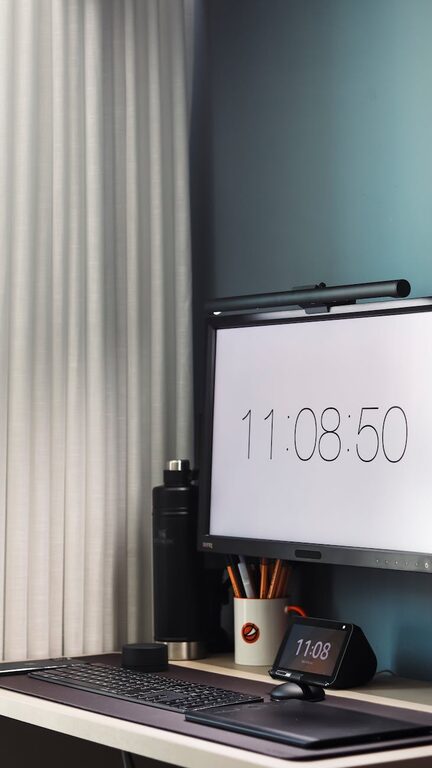
Creating a comfortable and clutter-free workspace at home is essential for staying focused and productive. Whether you’re working remotely, studying, or managing household tasks, an organized desk can reduce stress and make your daily routine smoother. Here are some simple tips to help you organize a clutter-free workspace right in your own home.
Before you begin organizing, pick an area that suits your needs. Ideally, it should be quiet, well-lit, and free from distractions.
– Natural light: Position your desk near a window if possible, as natural light improves mood and alertness.
– Minimal foot traffic: Avoid busy household areas where interruptions are common.
– Adequate space: Ensure you have enough room for your computer, paperwork, and other essentials.
A clutter-free workspace starts with a clean surface.
– Remove everything from your desk at the end of each day.
– Wipe down surfaces to keep the area fresh and dust-free.
– Only return essential items to keep your workspace minimal.
Storage is key to keeping clutter out of sight while staying organized.
– Use small trays or organizers for pens, paper clips, and sticky notes.
– Choose organizers with compartments to separate different items.
– Install dividers in your desk drawers to prevent items from mixing and creating chaos.
– Dedicate specific sections for stationery, electronics, or personal items.
– Store less frequently used documents on shelves or in filing cabinets.
– Label your files clearly for easy access.
Avoid overcrowding your space by keeping only the tools and materials you use daily.
– Limit decorations to a few personal items that inspire you.
– Consider digital alternatives to physical paperwork whenever possible.
– Regularly review and remove items you no longer need.
Messy cables can quickly contribute to workspace clutter.
– Use cable organizers, clips, or ties to group cords neatly.
– Label chargers and cables to avoid confusion.
– Consider wireless devices to reduce the number of wires.
Organization is an ongoing process that requires consistent effort.
– Set aside 5–10 minutes at the end of each workday to tidy your space.
– File papers immediately rather than letting them pile up.
– Reassess your setup periodically to adjust storage and organization methods.
Arrange your desk items for comfort and ease of use.
– Keep your monitor or laptop at eye level to reduce neck strain.
– Position frequently used items within arm’s reach.
– Use ergonomic furniture to support good posture.
Adding personality to your workspace can make it inviting without causing clutter.
– Choose a plant or small photo frame for a touch of warmth.
– Keep decorations subtle to maintain focus and avoid distractions.
—
By implementing these simple tips, you can transform your home workspace into a clutter-free environment that supports concentration and creativity. Remember, the goal is to create a space that works for you—functional, clean, and comfortable—so you can make the most of your time working from home.
